Helix
Browser
An Android-exclusive browser engineered for blazing speed, intelligent browsing, advanced privacy, and a beautifully smooth experience. Also available on PC via Android emulators.

Everything you need.
Nothing you don't.
Packed with powerful features designed to make your browsing experience faster, safer, and smarter.
Lightning Fast Browsing
Optimized rendering engine delivers pages up to 2x faster than traditional browsers with predictive loading.
AI Smart Search
Intelligent suggestions powered by on-device AI that understands context and predicts what you need.
Advanced Privacy Protection
Block trackers, fingerprinting, and malicious scripts with military-grade privacy shields.
Ad & Cookie Blocker
Eliminate intrusive ads, pop-ups, and annoying cookie banners for a clean, distraction-free browsing experience.
Modern Tab Management
Group, search, and manage tabs with a visual grid interface that keeps you organized.
Reader Mode
Strip away clutter and read articles in a beautiful, distraction-free format with custom themes.
Download Manager
Powerful built-in download manager with pause, resume, and multi-threaded acceleration.
Battery Optimized
Smart resource management reduces battery drain by up to 40% compared to other browsers.
Minimal UI
Clean, intuitive interface that maximizes screen real estate and stays out of your way.
Secure Incognito Mode
Enhanced private browsing with zero data storage, anti-screenshot, and auto-tab closure.
Benchmarked. Battle-tested.
Real-world performance metrics that prove Helix delivers on its promises.
Head-to-Head Comparison
See it in action
Explore the beautiful, intuitive interface designed for the best Android browsing experience.

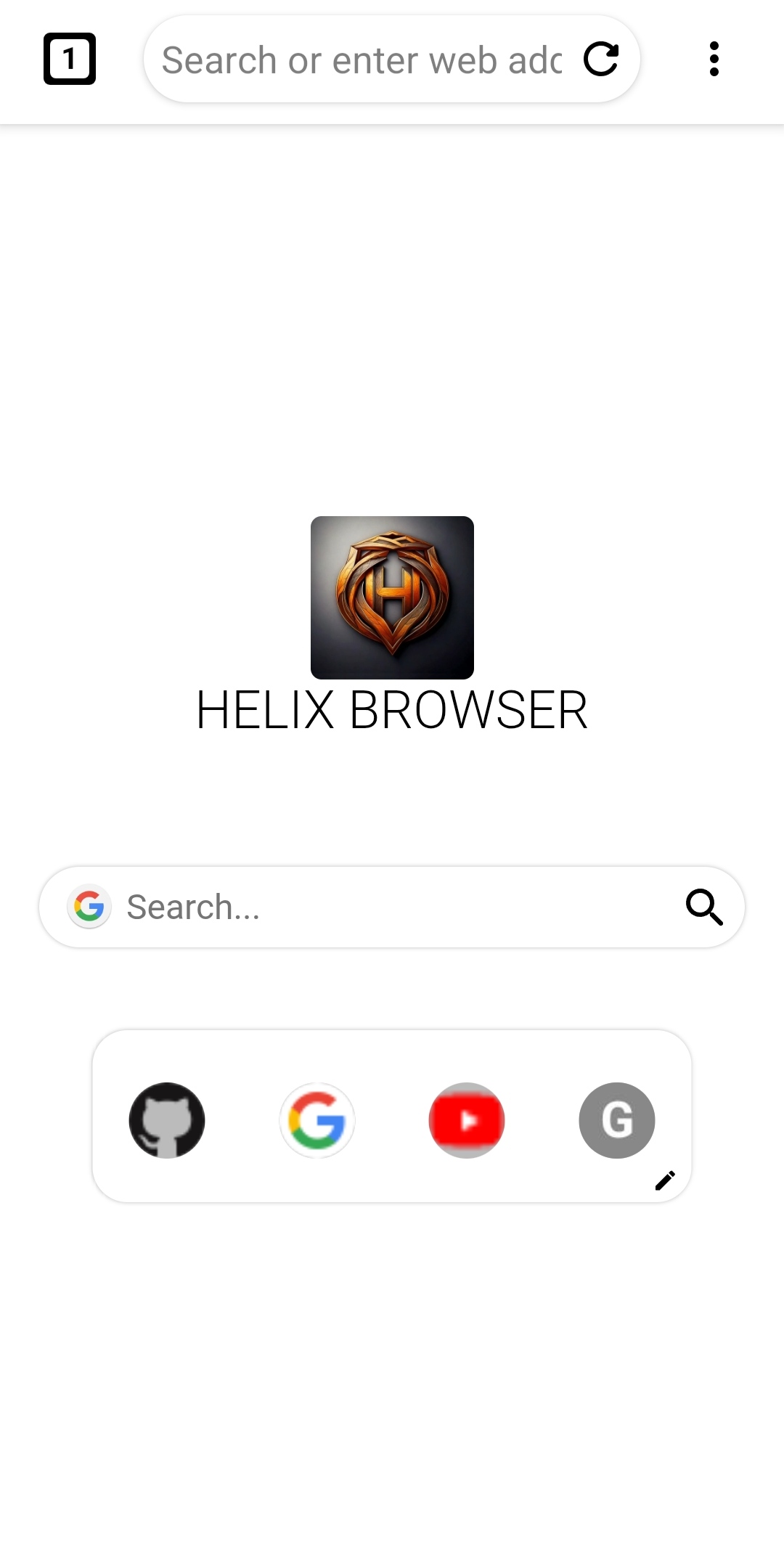
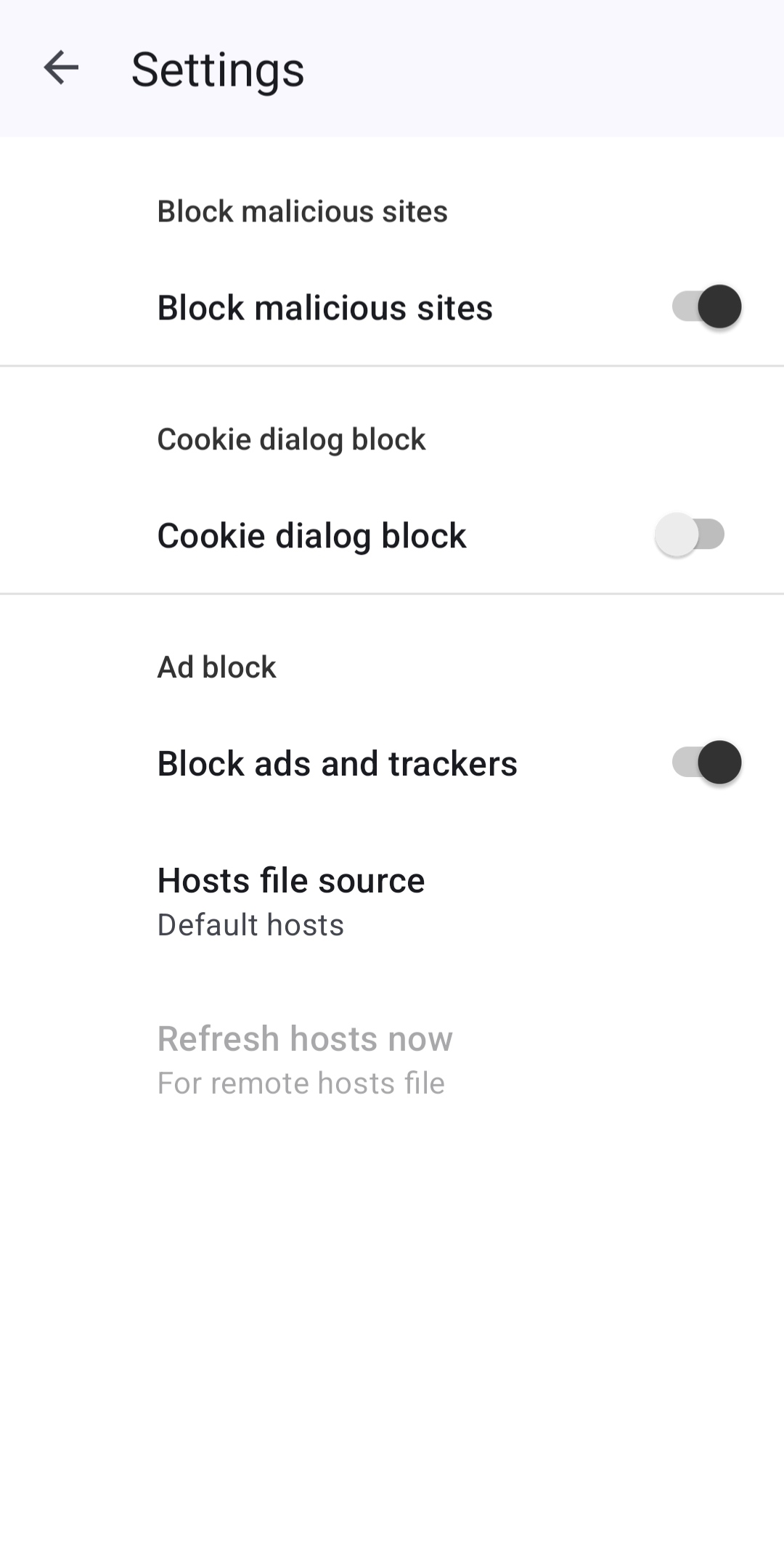
Home Screen
Clean homepage with quick access to your favorite sites
Get Helix Browser
Download the latest stable release and experience the future of mobile browsing. Exclusively built for Android.
Release Notes
- New AI-powered Smart Search with contextual suggestions
- Improved tab management with group support
- Enhanced ad blocker with custom filter lists
- Performance improvements across the board
- Bug fixes and stability improvements
The browser you've been waiting for
Helix Browser is reimagining what a mobile browser can be. Born from the frustration of bloated, privacy-invading browsers, Helix strips away everything unnecessary and adds everything essential — delivering the purest, fastest, most private browsing experience on Android.
Built for Speed
Optimized Chromium core with predictive loading, lazy rendering, and hardware-accelerated scrolling.
Lightweight
Under 20MB install size. No bloat, no unnecessary services draining your resources in the background.
Privacy-First
Zero telemetry by default. On-device processing, local-first storage, and no data sold to third parties.
AI-Enhanced
Smart suggestions, intelligent bookmarks, auto-categorized tabs, and context-aware search.
Modern Engine
Latest web standards, WebGPU support, progressive web app compatibility, and bleeding-edge APIs.
Loved by users everywhere
Don't take our word for it — hear from the people who use Helix every day.
“Helix loads pages insanely fast. I've tried every Android browser out there and nothing comes close. The speed difference is night and day.”
“Finally a browser that takes privacy seriously without sacrificing speed. The built-in tracker blocking is phenomenal. I feel safe browsing with Helix.”
“Better than Chrome in every way. The UI is gorgeous, tabs are snappy, and the AI search feature is genuinely useful. 10/10 would recommend.”
“Helix loads pages insanely fast. I've tried every Android browser out there and nothing comes close. The speed difference is night and day.”
“Finally a browser that takes privacy seriously without sacrificing speed. The built-in tracker blocking is phenomenal. I feel safe browsing with Helix.”
“Better than Chrome in every way. The UI is gorgeous, tabs are snappy, and the AI search feature is genuinely useful. 10/10 would recommend.”
“The smoothest browser I've ever used on Android. Reader mode is perfect for studying and the battery savings are real. My phone lasts so much longer now.”
“The minimal UI gives me so much more screen real estate for content. Download manager is super powerful too. Switched from Samsung Internet and never looked back.”
“As a designer, I appreciate the attention to detail in Helix's UI. Every interaction feels intentional and polished. It's what mobile browsing should feel like.”
“The smoothest browser I've ever used on Android. Reader mode is perfect for studying and the battery savings are real. My phone lasts so much longer now.”
“The minimal UI gives me so much more screen real estate for content. Download manager is super powerful too. Switched from Samsung Internet and never looked back.”
“As a designer, I appreciate the attention to detail in Helix's UI. Every interaction feels intentional and polished. It's what mobile browsing should feel like.”
Frequently Asked Questions
Everything you need to know about Helix Browser. Can't find an answer? Reach out to us.
Still have questions?
We're here to help. Reach out and we'll get back to you as soon as possible.
Contact Us